Main Content
How to Reset your Password
- Navigate to https://sso.acr.org in your preferred web browser to access the ACR® login screen. Once there, click "Forgot your password?"
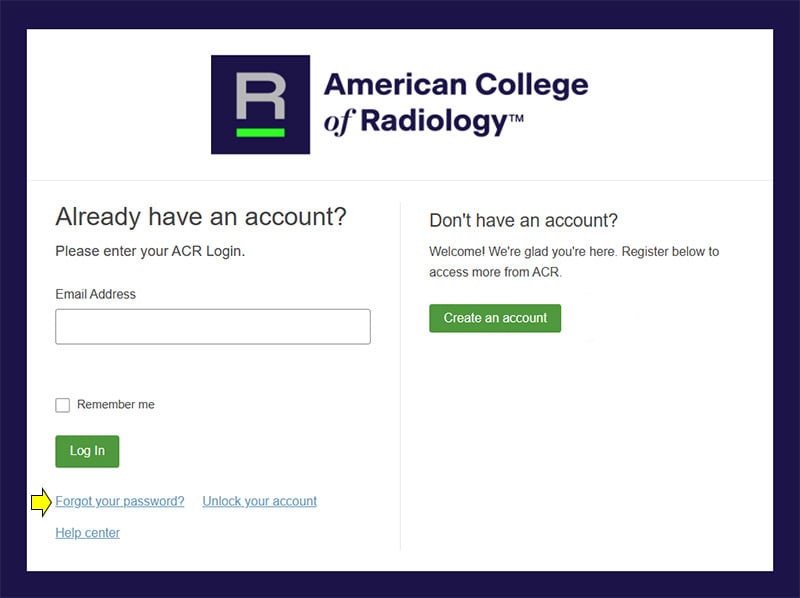
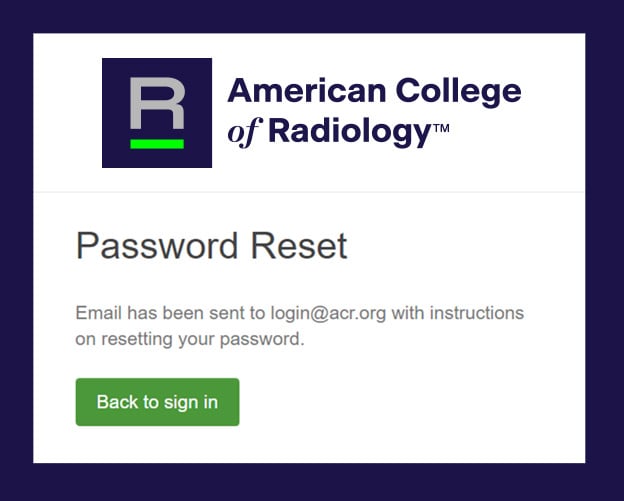
- Next, on the Password Reset screen, enter your email address on record with ACR, and click the “Reset via Email” button.
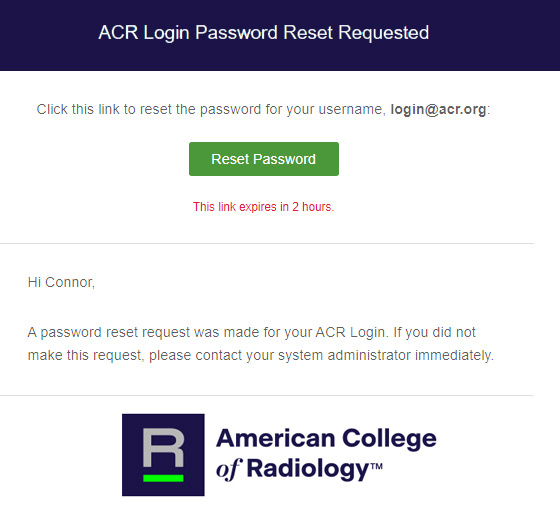
- You will receive an email from 'ACR' (no-reply@sso.acr.org) with the subject 'ACR Login Password Reset' with a link to reset your password. This link is only valid for two (2) hours; however you may repeat these steps to request another password reset email as many times as needed.
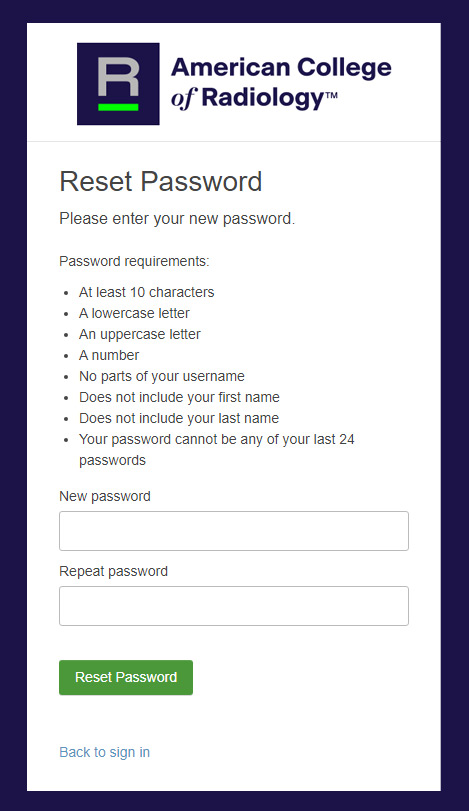
- Upon clicking the “Reset Password” button in the email, you will be prompted to set (and repeat) a new password based on the requirements listed. Once the new password has been entered twice, click “Reset Password”.
- If successful, you will be taken to your ACR Login dashboard where you can access your ACR applications.
Get step-by-step support
Still having trouble?
If you’re in need of further assistance, our support team is here for you.